
Quality Link information
If available, you find here information on already printed parts of the order:
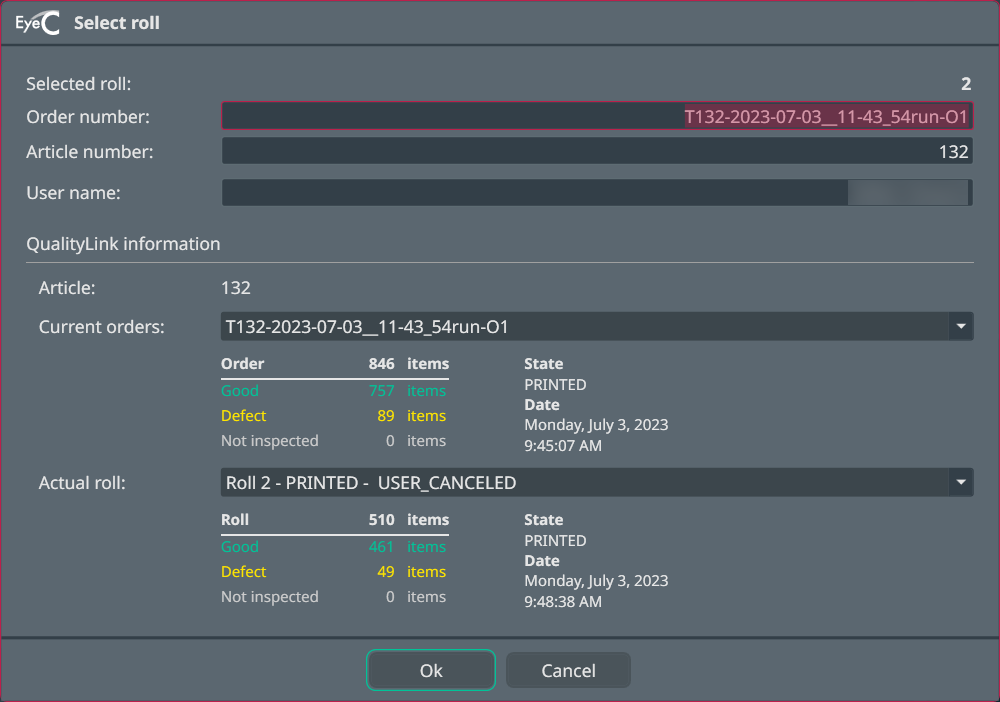
| Entry | Description |
|---|---|
|
Selected roll |
|
| Order number |
Contains the order number of the current order. |
| Article number |
The order‘s article number. |
| User name |
Name of user or operator. |
|
Quality Link information |
|
|
Article Contains an internal number. |
|
| Current orders |
Drop-down menu to select the relevant order. Details below the drop-down menu include order state, order date, and number of items as well as data regarding the quality of the print, such as defects etc. |
| Actual roll |
Drop-down menu to select the relevant roll. Details below the drop-down menu include state and production date of the roll, and number of items as well as data regarding the quality of the print, such as defects etc. |
-
Input the order data and proceed with capturing the reference image.