Automatic change of a roll for Tube inspection
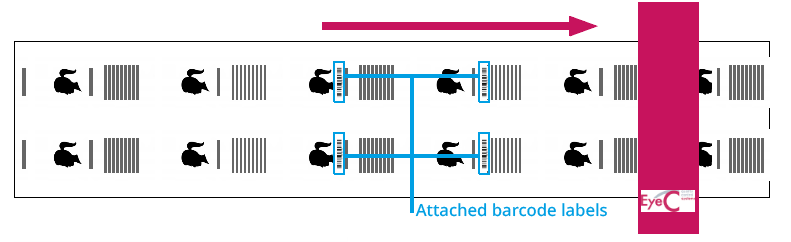
If you use an automatic reel splicer, the workflow is a little different from the workflow described in Changing a roll manually for Web inspection. Before the end of the roll, barcodes or other types of codes are automatically placed on the roll to be discontinued and at the beginning of the new roll. The EyeC ProofRunner software automatically detects and stores the individual sections: a signal from the reel splicer automatically detects the section change and stores it internally.
If there are several lanes on the roll, each lane is separately provided with a barcode. The EyeC ProofRunner camera captures these codes for later synchronization.