
Reteaching a new reference
It is possible to replace the reference item that was captured as a part of the job setup with a currently inspected item during the inspection. You can only choose an item that is displayed on the Live view or on the Flawed repeat view.
It is also possible to qualify the choosen item using the digital template (PDF) that was used for job setup to ensure that the item is flawless.
-
To set up a new reference, click Use as master in the inspection
area.
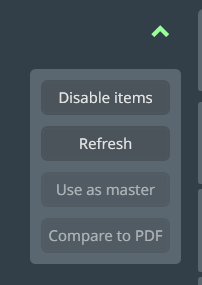
Figure 1. Pull-down in Live view or Flawed repeat view -
After pressing the Use as master button, you are asked to qualify
the item before replacing the master reference.
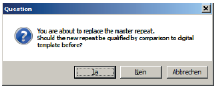
Figure 2. Dialog for qualifying the item