
Statistics
The section on the top right of the screen displays some statistical values of the actual inspection.
The biggest number on the right implies the percentage of inspected items in proportion to the length of the web or the total number of all items to be inspected.
It is constantly updated as inspection progresses.
The statistic shows the following:
- Total number of items
- Items marked as good
- Items marked as bad
- Material that was cut out1
If you use sections in your job, a statistic for each section can be shown in a separate window.
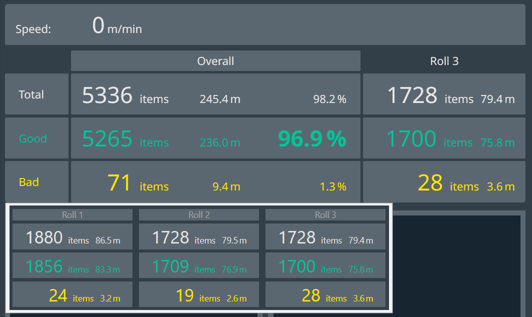
The length units are by default in metric dimensions.
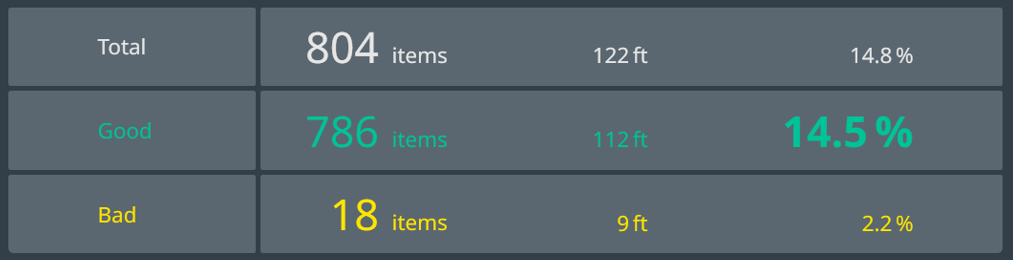
For changing this setting to imperial (see example in following figure) see EyeC ProofRunner System Manual.
| NOTICE | |
|---|---|
1 Only when you use a Rewinder.