
Inspecting the potential reference sheet
-
In connection, the inspection of the potential reference sheet is made
automatically with the EyeC Proofiler software.
The display changes from the EyeC ProofRunner software into the EyeC Proofiler software.
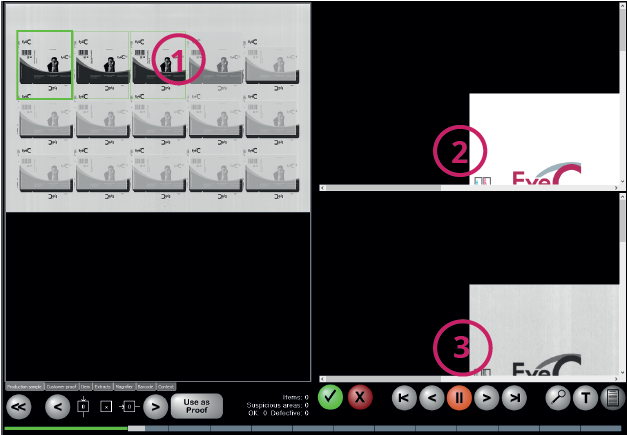
Figure 1. EyeC Proofiler - Inspection of the print sheet Table 1. EyeC Proofiler - inspection of the print sheet Number Description 1 Display of the printed sheet currently compared with the PDF template 2 Display of the PDF template in close-up 3 Display of the print sheet in close-up