
Inspection screen
In the inspection screen the user can switch between different views to monitor and/or adjust the actual inspection. The general user interface layout can be divided into 5 parts.
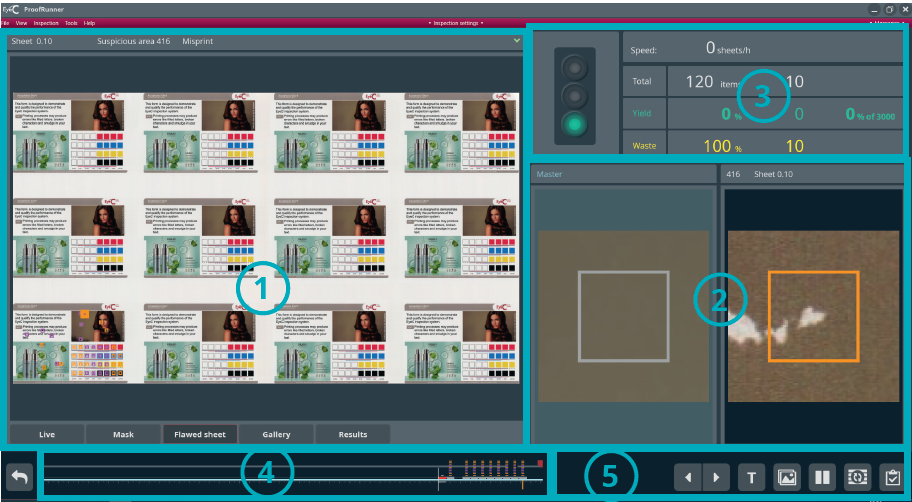
| Number | Description |
|---|---|
| 1 |
Displays the last sheet with suspicious marks. Also: Tabs of the various views. You can switch back and forth between the individual views by clicking on the corresponding button. |
| 2 |
Displays the last suspicious area on the PDF template (left) and on the print sheet (right) in close-up. |
| 3 | Statistical data of the printing process. See Statistics. |
| 4 | Machine animation |
| 5 |
Buttons to intervene in the print process, for example, pausing an inspection or creating a report. |