If pseudo defects due to paper white differences are experienced, do a paper
white calibration before starting the next inspection. If the job-specific
shading calibration is turned on, a paper white calibration step is available
for the job setup.
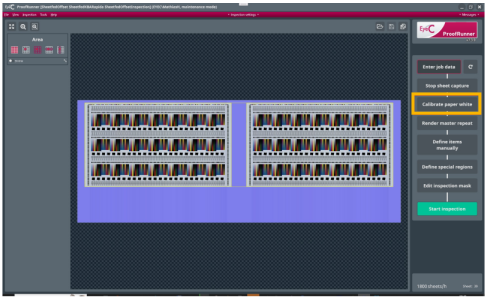
See the marked Calibrate paper white button on the following
figure. Figure 1. Calibrate paper white button
For further information on how to enable the job-specific shading calibrations, see
the EyeC ProofRunner Sheetfed iX 8.0 System Manual.