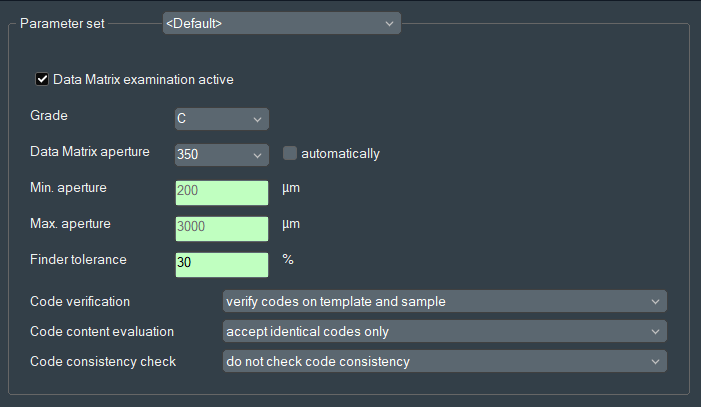
To activate the Data Matrix inspection option, go to Options > Data
Matrix and select the checkbox Data Matrix examination active.
See following figure. Figure 1. Data Matrix settingsDuring inspection, the EyeC Proofiler detects, encodes and
grades Data Matrix symbols based on the in the displayed options dialog defined
parameters.