Scanning the production sample and starting an inspection
After configuring the inspection layers you are ready to scan the Production sample and perform an inspection.
-
Place the production sample on the scanner and click on Scan Production
Sample in the upper-right corner of the screen.
 The system displays the production sample on the right side of the screen. You are now ready to start the automated print inspection.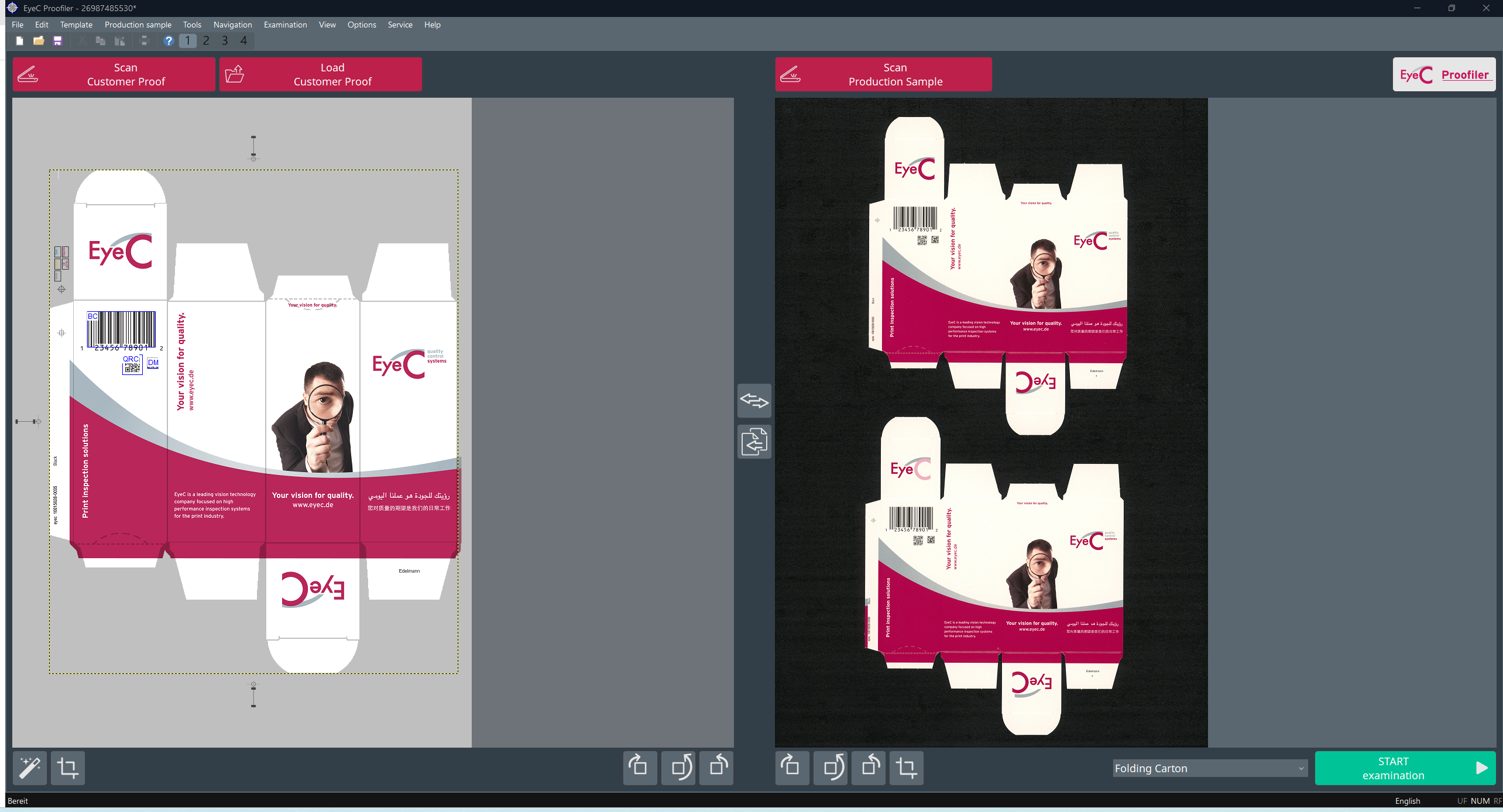
Figure 1. Acquisition screen after retrieving customer proof and production sample -
Click on START examination.