
Results of a QR-Code inspection
The following figures show the results of a QR-Code inspection.
Overview on production sample tab
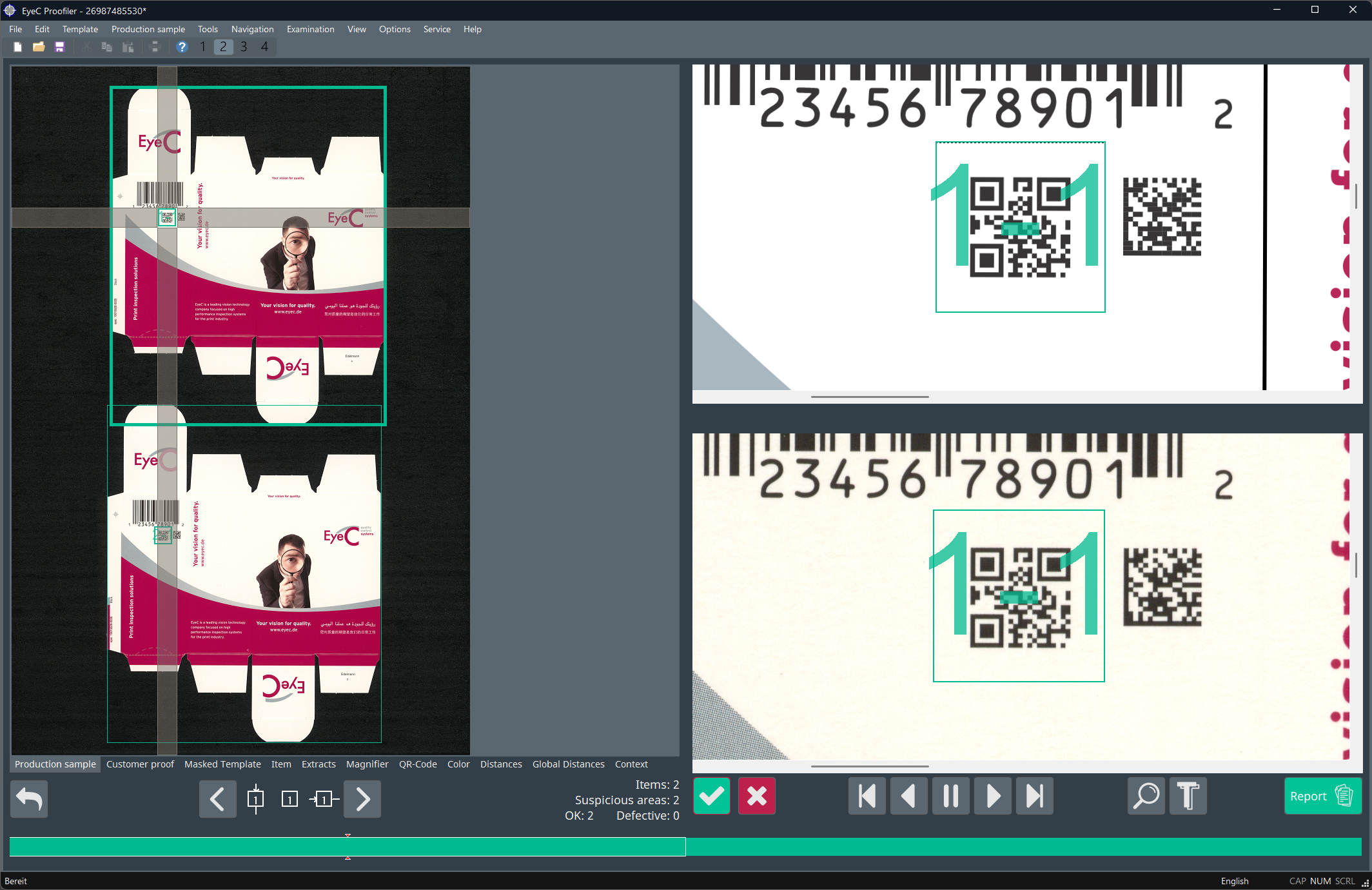
On the Production sample tab, you can see the overall rating of the QR-Code. The color of the QR-Code indicates if the quality of the QR-Code falls within the defined minimum quality thresholds. In the following example, the default colors are used: green for acceptable, red for unacceptable. These colors are customizable and may be different on your EyeC Proofiler system.
In the following figure, the QR-Code symbol on the sample matches the corresponding QR-Code symbol on the customer proof (green).
Details and statistics on QR-Code tab
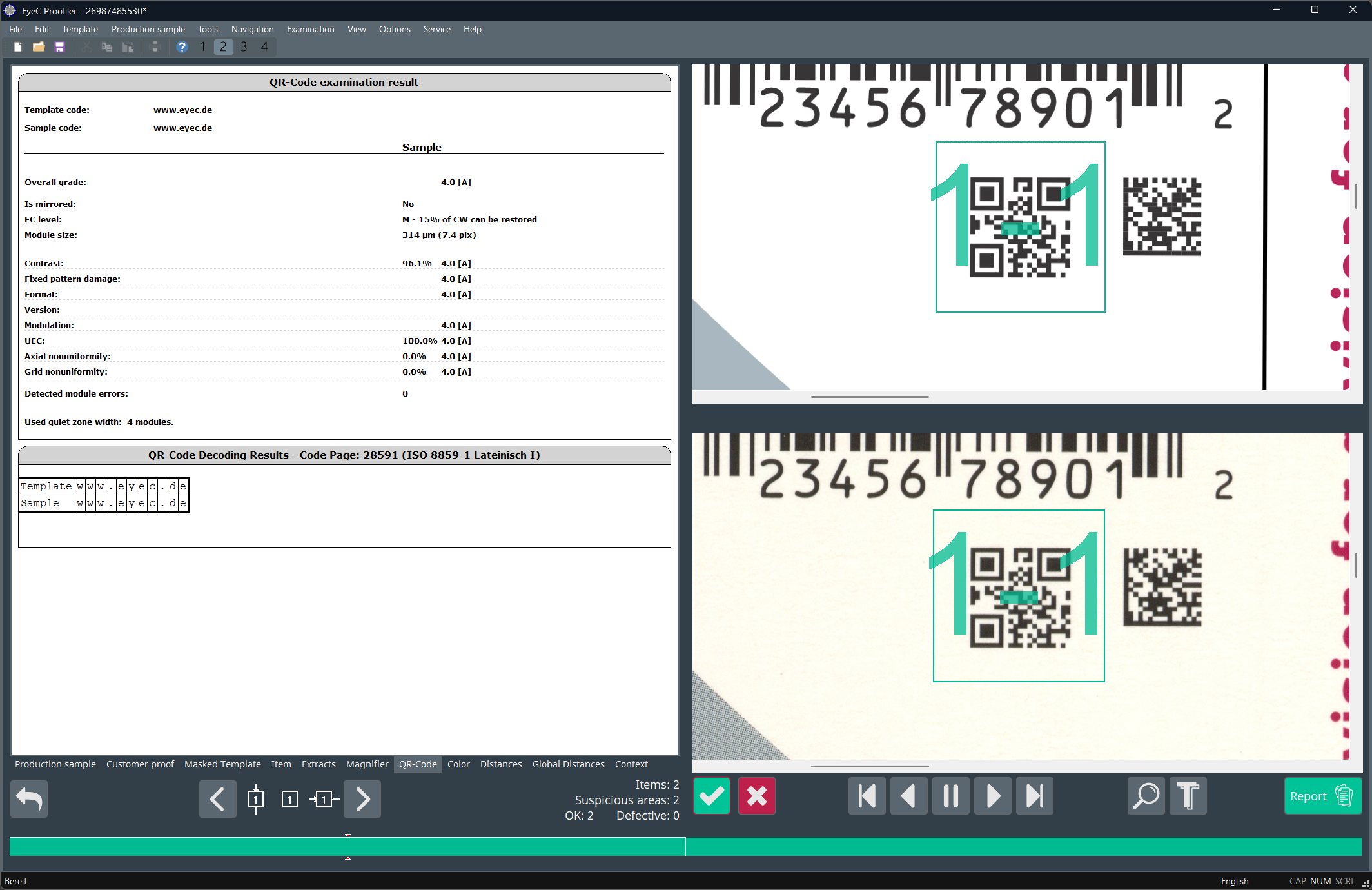
For more detailed information about the results of a QR-Code inspection, click on a QR-Code symbol or on the QR-Code tab.
The QR-Code tab is selected and shows statistics for all detected QR-Code symbols.
Further information
For further information on the listed quality parameters refer to the EyeC Proofiler System Manual.