
Results of a barcode inspection
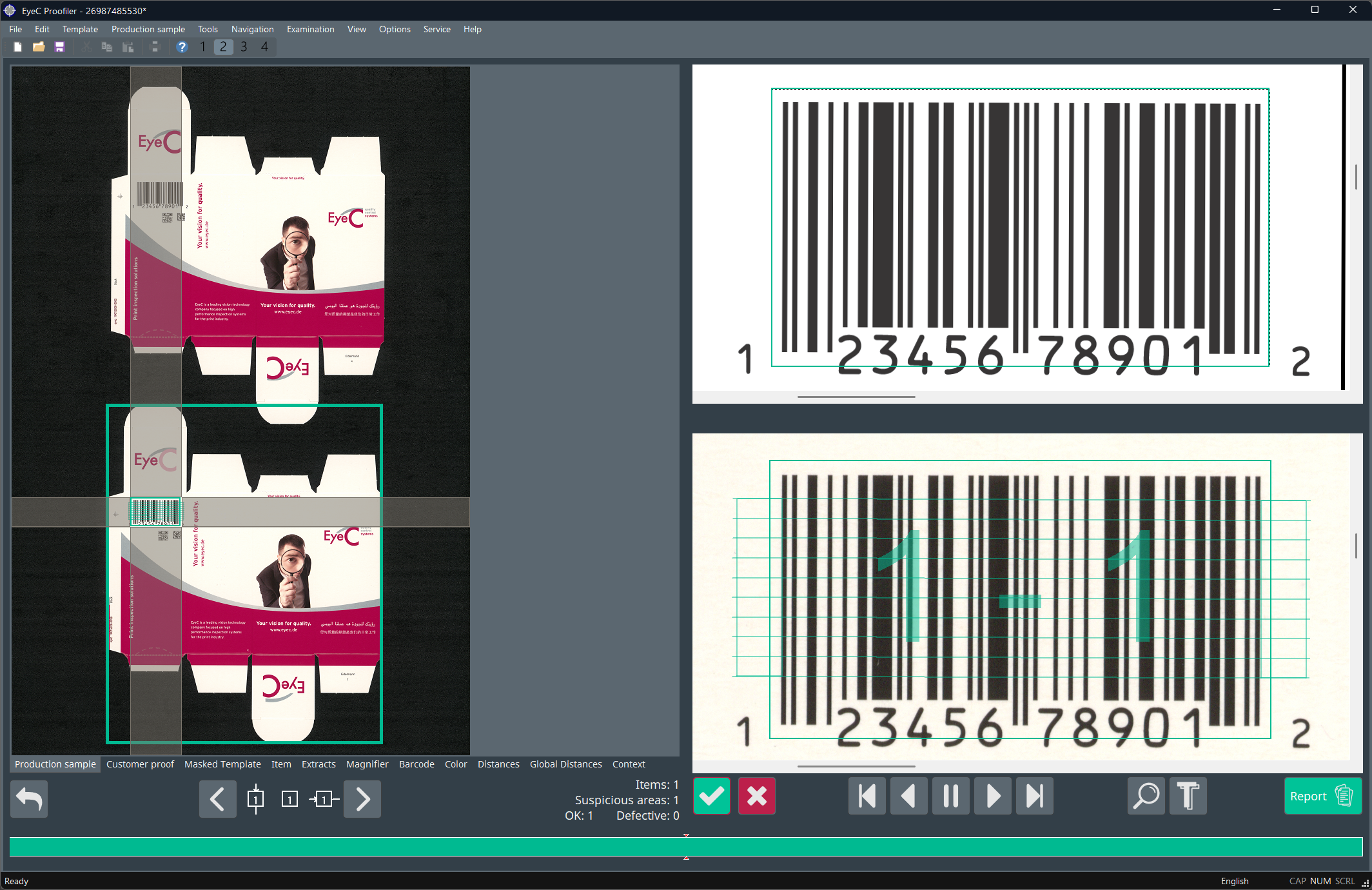
The following figures show the results of a barcode inspection.
Overview on production sample tab
On the Production sample tab, you can see the overall rating of the barcode. The color of the barcode indicates if the quality of the entire barcode falls within the defined minimum quality thresholds. In the following example, the default colors are used: green for acceptable, red for unacceptable. These colors are customizable and may be different on your EyeC Proofiler system.
Details and statistics on barcode tab
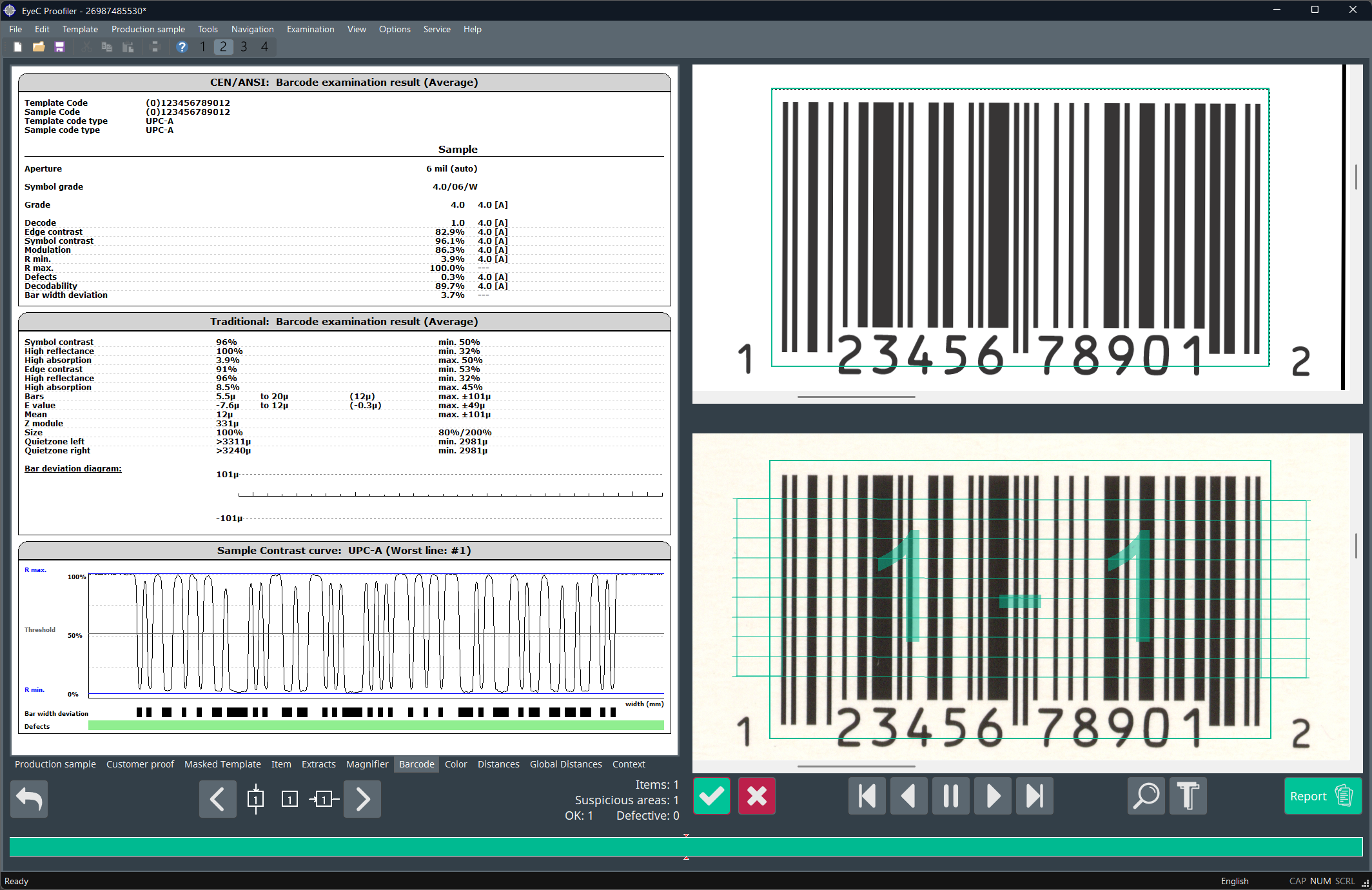
For more detailed information about the results of the barcode inspection, click on a barcode or on the Barcode tab.
The statistics for the barcode or for a particular barcode inspection line are displayed on the left side. The color of each barcode inspection line indicates if the barcode quality at that inspection point is within the limits for the defined minimum quality standard. In the previous example, the default colors are used: green for acceptable, red for unacceptable. These colors are customizable and may be different on your EyeC Proofiler system.
To view the average statistics for a barcode, click on a part of an inspection line outside of the barcode image.
To view the statistics for a particular barcode inspection line, click on the line inside the barcode image.
Further information
For more information on the results of the Barcode inspection refer to the EyeC Proofiler system manual.