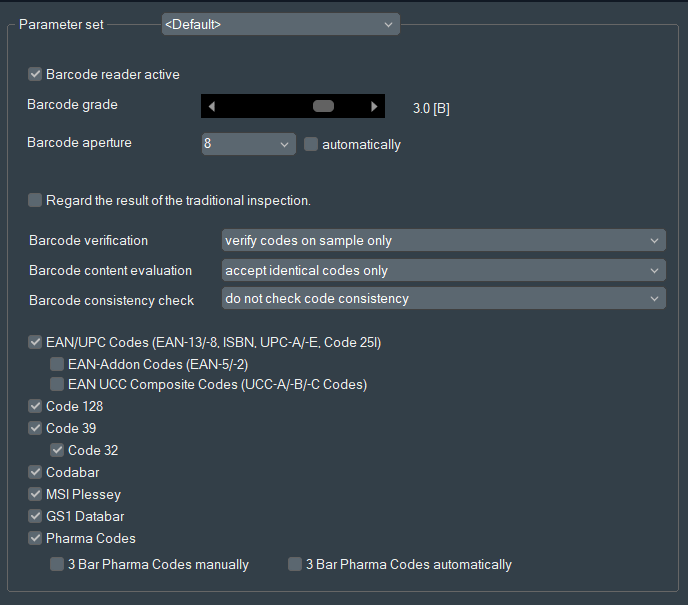
To activate 1-D Barcode inspection, go to Options > Barcode and select
the checkbox Barcode reader active.
See following figure. Figure 1. Barcode settingsBarcode symbols below the in the Barcode options dialog selected quality level
(Barcode grade) are automatically graded as unacceptable and are highlighted for the
operator (for example, in the default color red).