
Flawed repeat viewing tab
This view shows you where the deviations are located on the printed item with the latest detected suspicious area. In the right half of the screen, the top (or, for wide screen, left-hand) image displays the correct image (golden image). The bottom (or, for wide screens, right-hand) image displays the deviation.
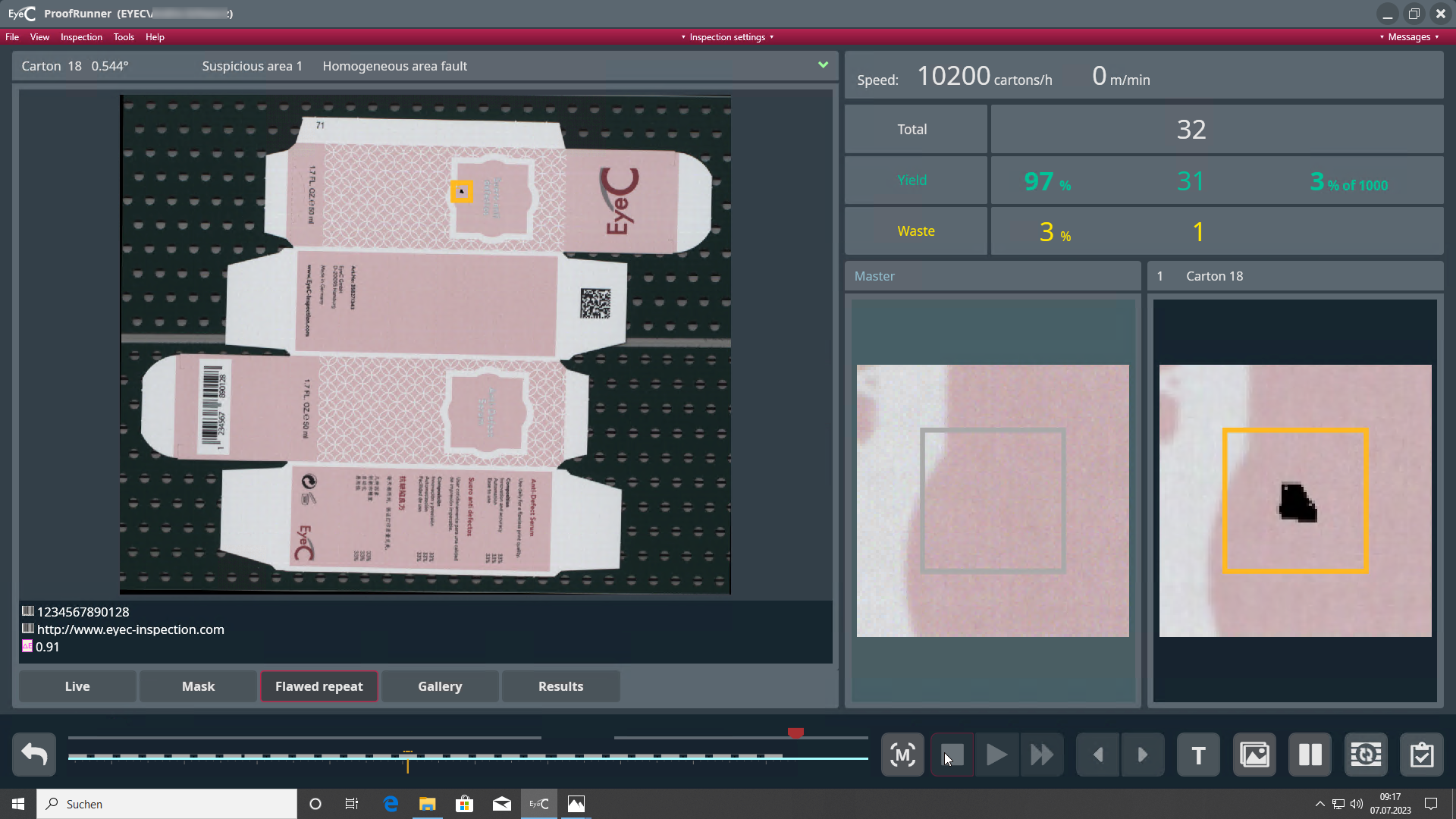

Below the image on the left you see the inspection results of the special regions. In case of barcodes the decoded text is displayed, in case of variable text elements the detected text is displayed and in case of ∆E regions the ∆E value is shown.
Deviations are marked by an orange background. The measuring results are shown with tolerance values included in brackets. You can adapt the thresholds of the measuring during an inspection by right-clicking on the item.