
Evaluating the suspicious areas
You can check suspicious areas of a print job and evaluate them.
-
Open an inspection file, as described in Opening an inspection file.
The summary is opened and the QcStation displays the first suspicious area. Individual suspicious areas are presented with a point while suspicious area series are presented with a line (see QcStation - Detail: individual suspicious area and series of suspicious areas).
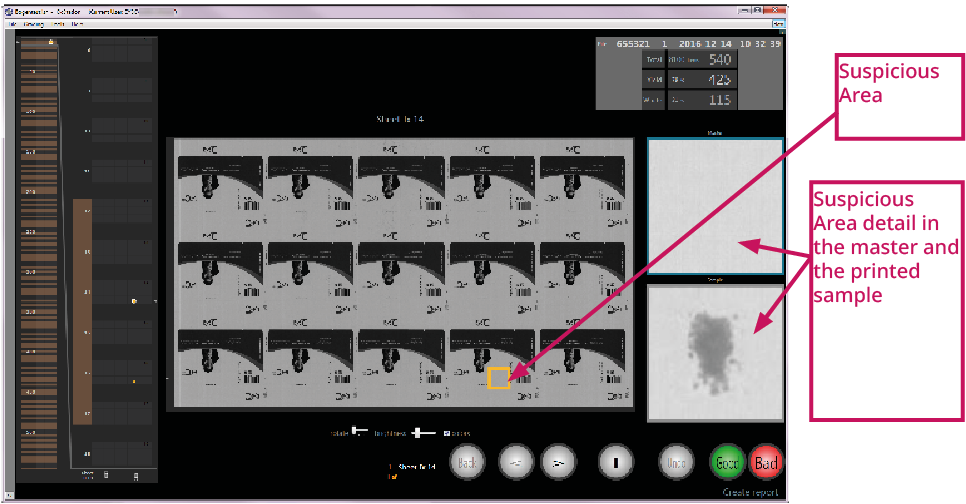
Figure 1. QcStation - Summary and display of the first suspicious area 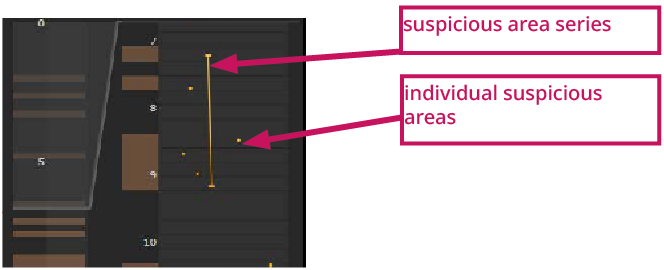
Figure 2. QcStation - Detail: individual suspicious area and series of suspicious areas