The report view
The report view automatically displays the job validation report.
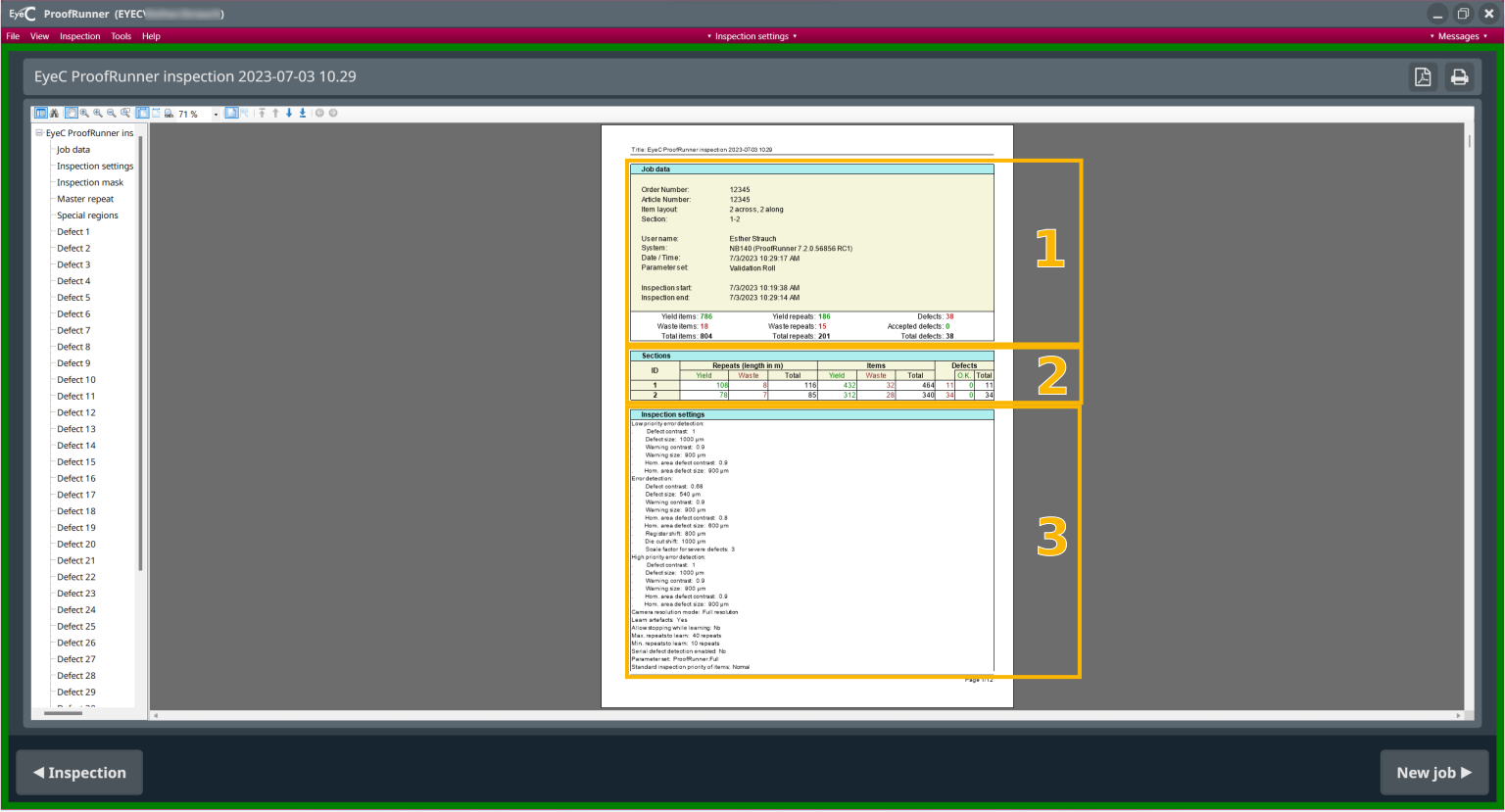
| Number | Description |
|---|---|
| 1 | Job data (for example, order number or date and time of the inspection) |
| 2 | Sections overview (important parameters for all defined sections separately) |
| 3 | Settings of the inspection, that is, summary of some important parameters (for example, number of defects) |
Note:
By default, the system is set to metric dimensions, that are also displayed on the report.
If you want to change the settings to imperial, check the EyeC ProofRunner System Manual.

-
To view the following pages of the report, scroll down using the scrollbar the Next page button.

-
To return to the inspection screen, click the Back button.
-
To return to the job set-up screen, click the Forward button.